 Administration > CMDB Administration > View Manager Administration > Working with View Manager > Presentation Options for Views > Using the Different Folding/Grouping Definitions Option
Using the Different Folding/Grouping Definitions Option
When defining or editing view properties (as described in Defining View Properties to Create Views), you can define whether different folding/grouping definitions should be used for the topology and tree presentations of the view.
When the Use different folding/grouping definitions option is not selected, the organization and layout of the view are the same for both presentation types.
When the option is selected, the organization and layout of the view can be different in the topology presentation and in the tree presentation. The application of this depends on whether the view is an instance view or a pattern view:
- For instance views, the difference is only in the folding used for the topology presentation, as described in Topology Presentation.
- For pattern views, different folding/grouping enables you to define different group-by options (see Grouping Options (Pattern Views Only)), and different folding rules (see Using Folding Rules (Pattern Views Only)) for each presentation type.
Different folding definitions for pattern views is discussed in the following section.
Applying different folding definitions for a view means that two separate versions of the view (topology and tree) are stored in memory, each one containing the appropriate definitions. Maintaining two versions of each view puts pressure on the system, so you should apply this option carefully.
Defining Pattern View Properties with Different Folding Definitions
Selecting the Use different folding/grouping definitions option changes the editing pane in the Create View/Edit View windows for pattern views (described in Understanding the Create View Window). When the option is selected, there are two versions of the editing pane, one for the topology presentation, and one for the tree presentation. (When the option is not selected, there is one editing pane for the overall view.)
When you access the Create View/Edit View window, you are in the Topology Presentation editing pane.
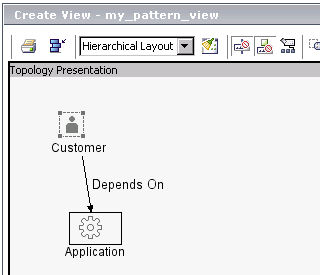
Use the Switch between topology and tree presentations button
 to toggle between the two presentation types.
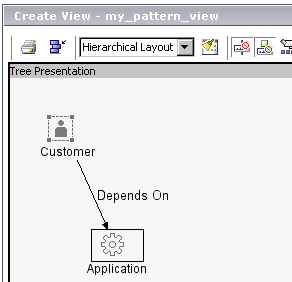
Each editing pane contains all editing options, so that you can set different group-by and folding rule definitions for each presentation. For information on defining group-by options, see Grouping Options (Pattern Views Only). For information on defining folding rules, see Using Folding Rules (Pattern Views Only).