 Administration > Application Administration > Repositories Administration > Dashboard Business Rules Details > Locations Grouped Rule
Locations Grouped Rule
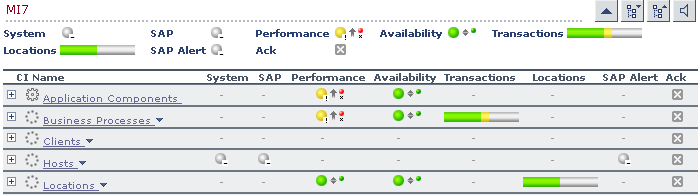
For a Locations group CI, whose Contained Location children CIs represent transactions, the rule selects the worst status of Performance and Availability, and displays the worst status of all the children.
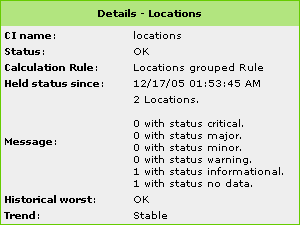
The tooltip displays for each status the sum of all the CI's children that have a critical status, how many have the OK status, and so forth.
KPIs Using this Rule
This rule is used by the following KPI(s):
Locations
Understanding the Rule
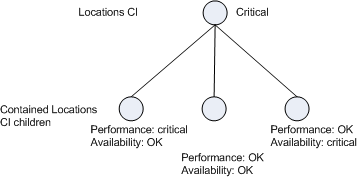
For example, a Locations CI has three Contained Location children with the following statuses:
The rule calculates the status of the Locations CI by taking for each child the worst status of Performance and Availability: Critical, Minor, and Major. The overall status worst status is Critical. The rule also calculates the sum of children with each specific status and displays that information in the tooltip:
Parameters
The rule parameters are:
No data timeout - The timeout period for a KPI. Defines the number of seconds from the time the last sample was received for the KPI, until the KPI is timed out - at which point the KPI changes to decay status (gray). The default value for this property should be changed with caution. Note that a different default value may actually be used for Business Process Monitor transaction CIs—for details, see No Data Timeout for Transaction CIs.
duration - Dashboard calculates CI status based on the samples received during the duration period (defined in seconds). For example, if a CI has a duration of 5 minutes, status is calculated based on the samples received during the past 5 minutes.