 Administration > Application Administration > Mercury Business Availability Center for SAP Administration > Administering Mercury Business Availability Center for SAP > Step 3 - Running the Discovery Patterns > Accessing the Discovery Modules
Accessing the Discovery Modules
Access the discovery modules and then run each discovery pattern in the proper order.
To access the discovery modules:
- Click the Discovery Manager tab in CMDB Administration.
- Click the Module Manager tab.
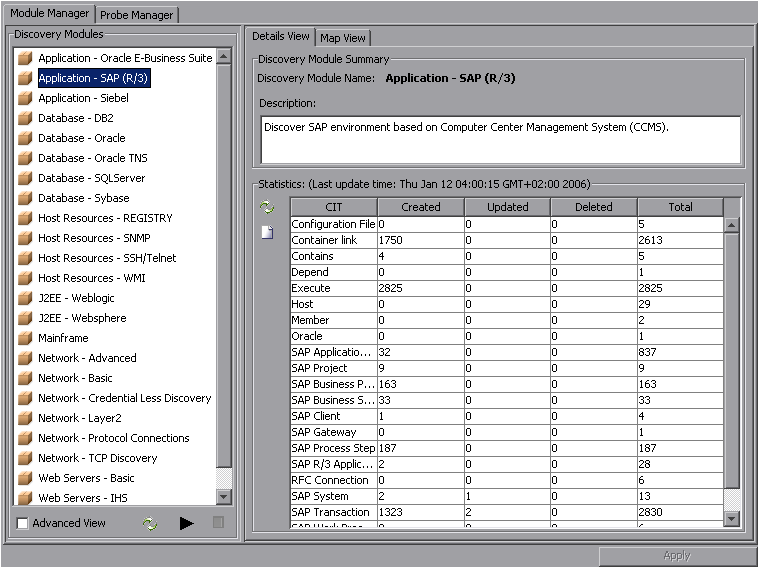
- Select Advanced View at the bottom of the left pane.
- Go to the next procedure.
Note: It is very important, the first time you run discovery, to start the next pattern only after you verify that the activated pattern has completed and successfully discovered all the required elements.