Administration > Application Administration > Dashboard Administration > Configuring KPIs > KPIs for User Modes > Example Scenario of KPI Versions for User Modes
Example Scenario of KPI Versions for User Modes
In the following example scenario, two versions of the Availability KPI are set up, one for each user mode. The Availability_ops version uses the default objective values; however, when the Availability_biz version is attached to CIs, different objective values are defined.
To set up and use Availability KPI versions for user modes:
- Access the Admin > Dashboard > Repositories > KPIs page.
- In the Factory KPIs area, select the check box for the Availability KPI and click Clone. The cloned KPI is displayed in the Custom KPIs area.

- Click the Edit button
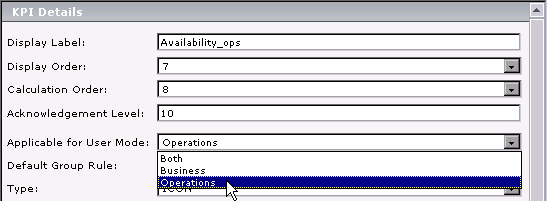
 for the cloned KPI. In the displayed KPI Details window, edit the KPI properties as follows:
- In the Factory KPIs area, select the check box for the Availability KPI and click Override. The old Availability KPI is shown as overridden, and the new version of the KPI is displayed in the Custom KPIs area.
- Click the Edit button for the new KPI. In the displayed KPI Details window, edit the KPI properties as follows:
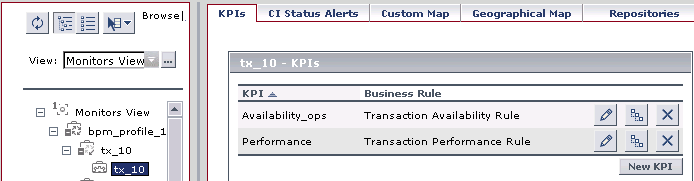
- Access the Admin > Dashboard > KPIs page and open the Monitors View. For all BPM Transaction from Location CIs, the Availability KPI has been replaced with the Availability_ops KPI.
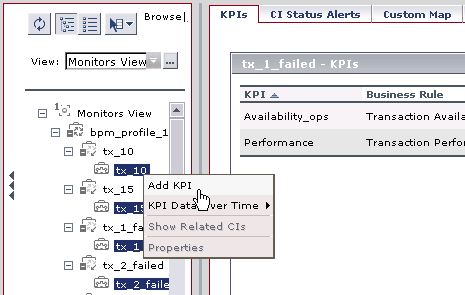
- Add the Availability_biz KPI to all BPM Transaction from Location CIs. Use the keyboard Ctrl key to select all the CIs, then right-click on one of the selected CIs and select Add KPI.
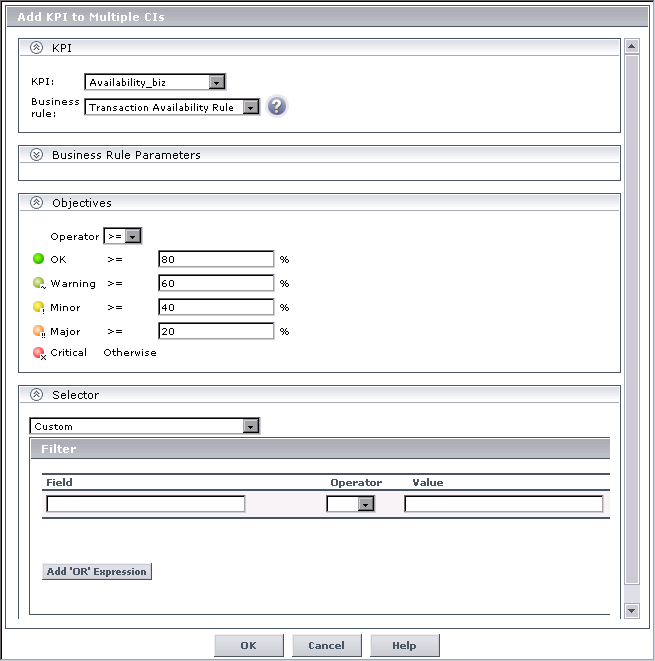
- Edit the properties in the Add KPI to Multiple CIs Window as follows:
- Select Availability_biz in the KPI list.
- Select Transaction Availability Rule in the Business rule list.
- In the Objectives area, enter the objective values required for Availability KPI in business user mode: 80, 60, 40, 20.
- Leave the selector expressions empty.
- Click OK. The Availability_biz KPI is added to the KPIs list for each selected CI.
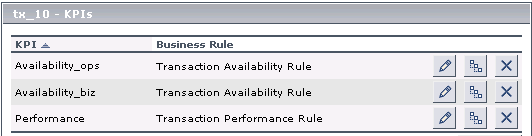
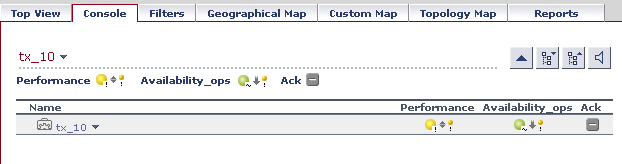
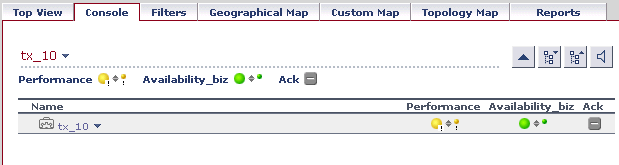
- In the Applications > Dashboard > Console page, you can see the Availability KPI versions as follows:


The Add KPI to Multiple CIs window opens.
The appropriate selector is automatically defined for each new KPI, by copying the selector definitions for the other KPIs attached to the BPM Transaction from Location CI. (You can click the Edit button
for the Availability_biz KPI to view the selector.)
The Availability_biz KPI also propagates up to the CI parents, using the default group rule for the KPI.